Summary
A macOS menu bar app: drag a file, hold a key, and a ring of actions appears under the cursor. Built because I was tired of clicking through Finder and other apps for small tasks.
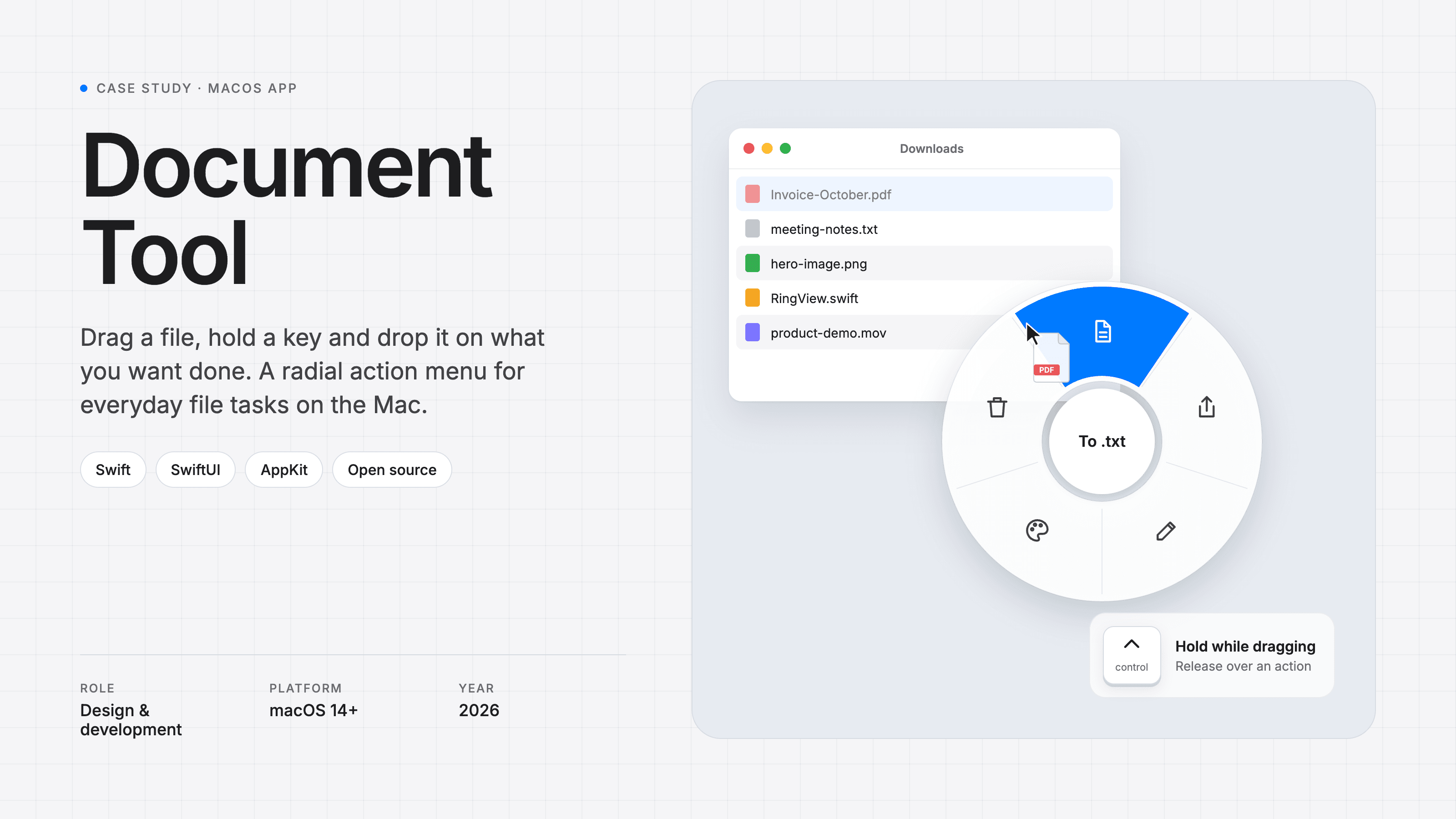
Document Tool is a small menu bar app for macOS that I built for myself. Drag any file, hold a trigger key, and a ring of actions appears under the cursor. Drop the file on a slice to run that action. Drop it in the middle, or let go of the key, to cancel.
The challenge
A lot of small, everyday file tasks take more clicks than they should. Turning a PDF into text, compressing an image, sharing a file or making a nice-looking image of a code snippet usually means opening another program, finding the right menu and saving the result somewhere. I wanted those features right where I already was: holding the file.
Our approach
The core idea is a pie menu that shows up mid-drag. A pie menu suits this well: each action has its own direction, so after a while your hand learns where things are and you don't need to read the labels.
Actions that fit the file
The ring changes depending on what you're dragging. A PDF, a text file, an image, a video and a code file each get their own set of slices. Some of the built-in actions:
- Compress: saves a smaller copy of an image next to the original. The original is never changed.
- Snippet: turns a code file into a shareable image with a window frame, syntax colours, line numbers and the file name.
- Background: renders a file on a gradient as a PNG and copies it to the clipboard, ready to paste into a post or a chat.
- To .txt / To PDF, Share, Edit and Trash for the everyday basics.
Drop several files at once and the action runs on all of them.
Make it your own
In Settings you can reorder, remove or add up to eight slices per file type. Besides the built-in actions, a slice can run an Apple Shortcut, run a shell script, or open the files in any app. Shortcuts in particular mean you can build almost anything without touching the app's code.
Technical choices
- Native Swift and SwiftUI, running as a menu bar app on macOS 14 or newer, on both Apple silicon and Intel.
- The trigger can only be a modifier key (⌃ ⌥ ⇧ ⌘ fn). That's deliberate: macOS lets an app read those without asking for Accessibility permission, so the app doesn't need more access than it uses.
- The ring is a floating panel that acts as the drop target, and it picks the slice from the direction of the cursor relative to the centre.
- Releases are automated: pushing a version tag makes GitHub Actions build a universal app and publish it as a release.
The result
Tasks that used to mean opening another program now take one drag and a flick of the wrist. The app is open source, and you can download it or build it yourself from GitHub.