Summary
A desktop editor for seamless Instagram carousels, built for a class reunion account: an old photo, the story in between and a new one. Electron, React and TypeScript.
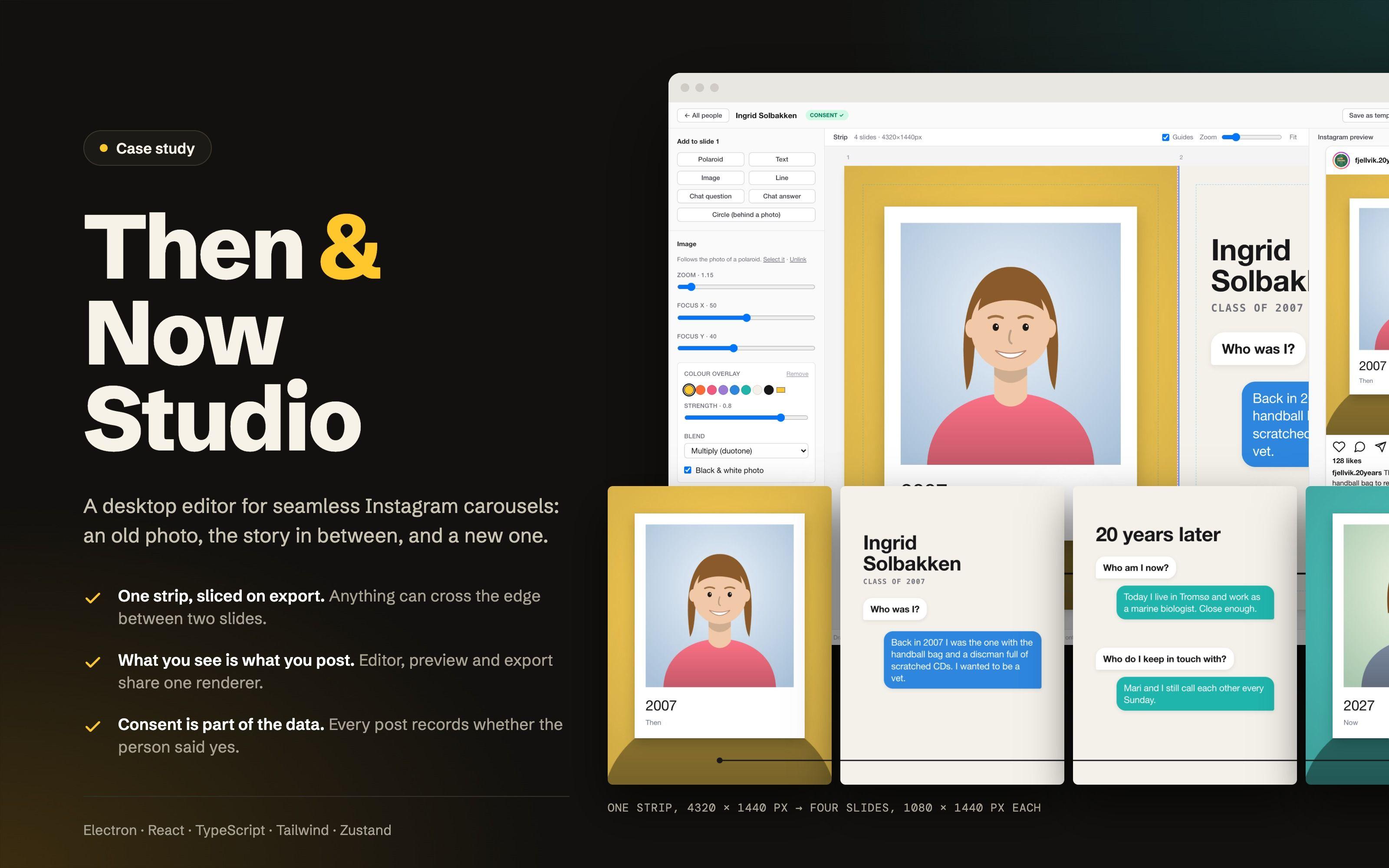
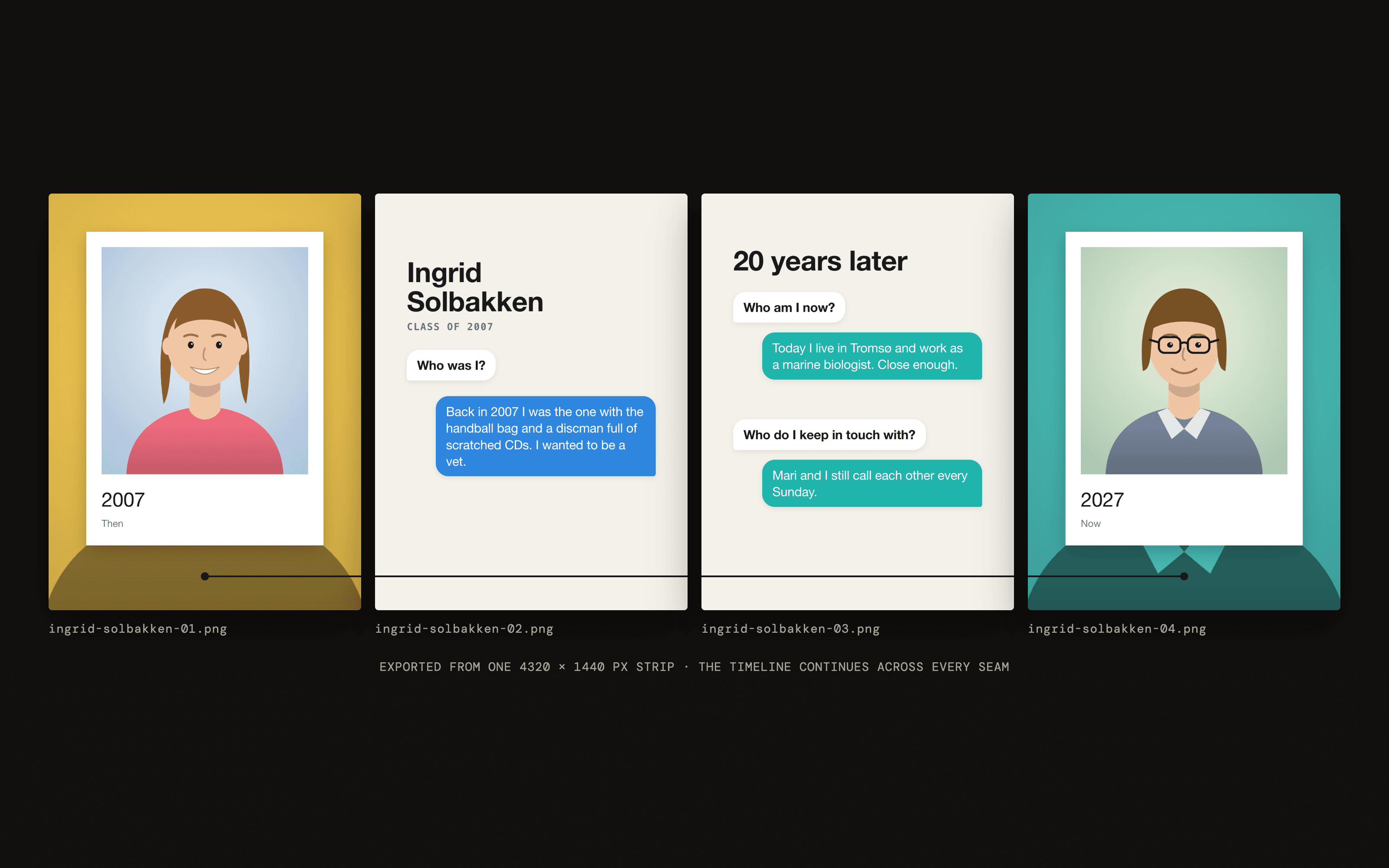
Then & Now Studio is a small desktop app I built for one job: making Instagram carousel posts for a "20 years later" account for my old school class. Each post is about one former classmate. The first slide is their photo from 2007 in a polaroid frame, the middle slides tell who they were and what they do now, and the last slide is a photo from 2027 in the same frame. The people and portraits in the screenshots are made up.
The challenge
I wanted the posts to be seamless carousels. That means the slides are really one long image, so a line or a photo can cross the edge between two slides and swiping feels like scrolling one picture.
That's fiddly to do by hand. You design one wide image, cut it into pieces at exactly the right pixels, and hope nothing important ends up where Instagram crops it. Then you do it again for the next classmate, and the one after that. With a whole class to get through, I wanted a tool where the layout is made once and each new person is mostly two photos and a few sentences.
Our approach
One strip, sliced on export
A post is a single canvas, 1080 pixels wide per slide. Everything is placed on that strip instead of on separate slides, so anything can cross a seam. On export the app renders the strip once and cuts it into numbered PNG files. Rendering once is what guarantees that things line up.
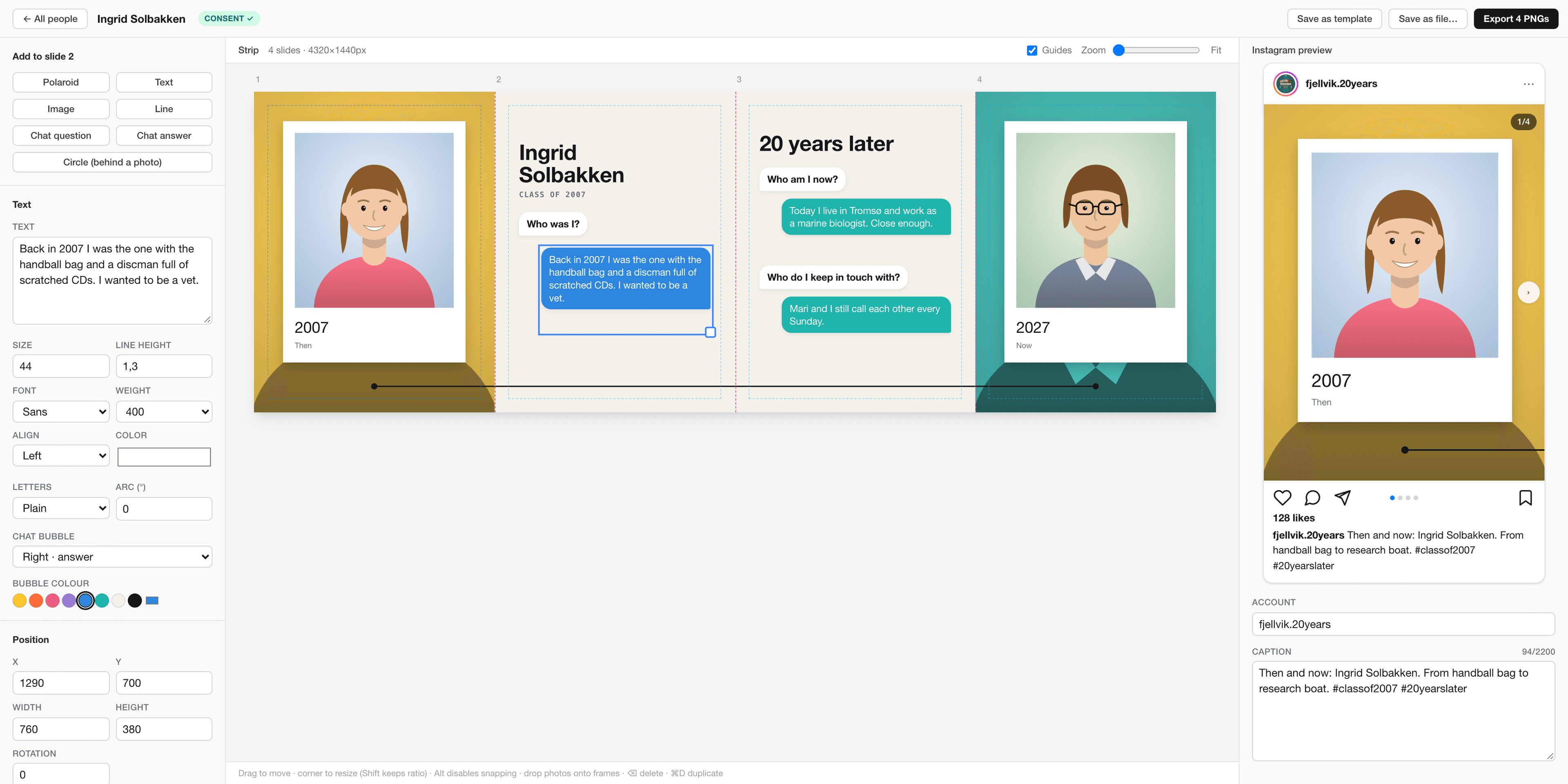
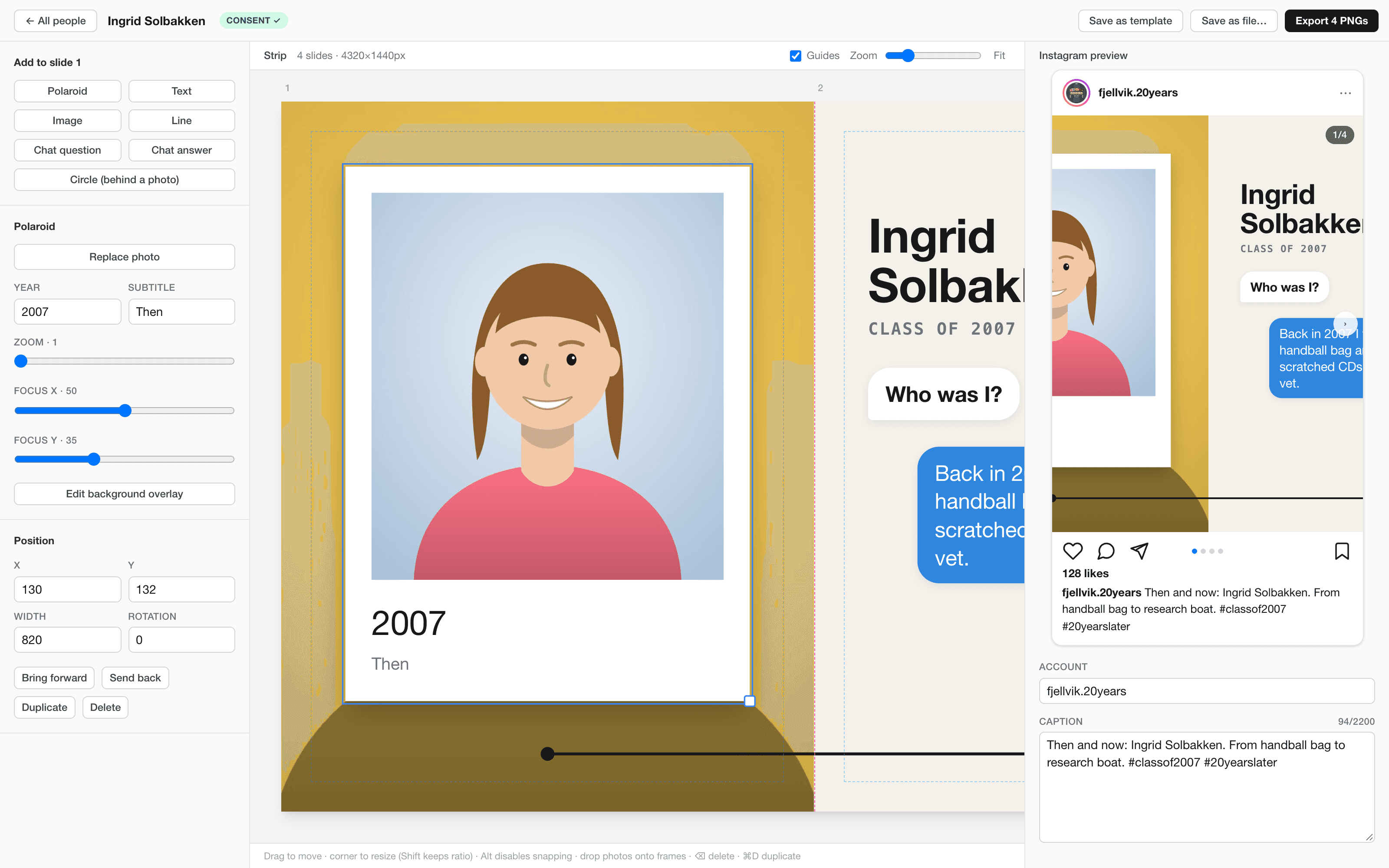
The editor is deliberately simple. Drag to move, pull a corner to resize, drop a photo straight onto a frame. Elements snap to seams, centres and safe zones, and the guides show where each slide ends.
What you see is what you post
The editor, the Instagram preview and the export all use the same piece of code to draw the strip. The editor shows it scaled down, the preview shows one slide at a time and lets you swipe, and the export uses a full-size copy. There is only one place where a post is drawn, so the preview can't drift away from the files you end up posting.
The right size for the profile grid
Posts are 3:4 (1080 × 1440) by default. It's the only size the Instagram profile grid shows uncropped. A post can be switched to 4:5 if it's going to be published through the API or boosted as an ad, since both reject 3:4. In that mode the editor shades the part of the first slide that the grid will crop away.
Photos as backgrounds
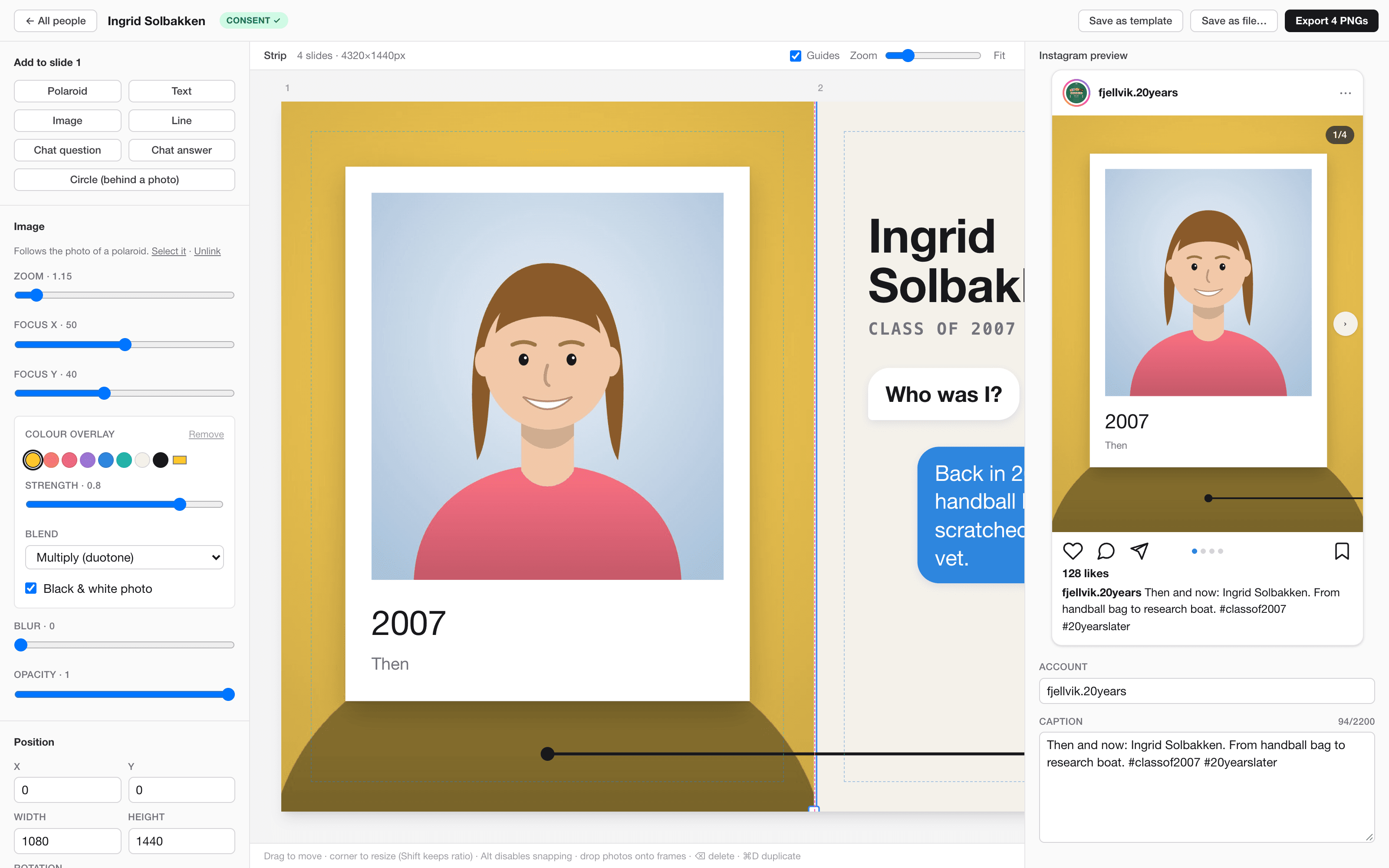
The first and last slide show the polaroid's own photo behind the frame, in black and white with a colour laid over it. Upload the photo once and the background follows. Colour, strength and blend mode can be changed per slide, so each person gets their own look while the layout stays the same.
Consent is part of the data
These are real people and their childhood photos, and we're in Norway, so GDPR applies. Every post records whether the person has agreed to be posted, when, and how they said it. If consent isn't recorded, the export stops and asks first. It's a small thing in the interface, but it means the question can't be forgotten.
A library, a template and a profile photo
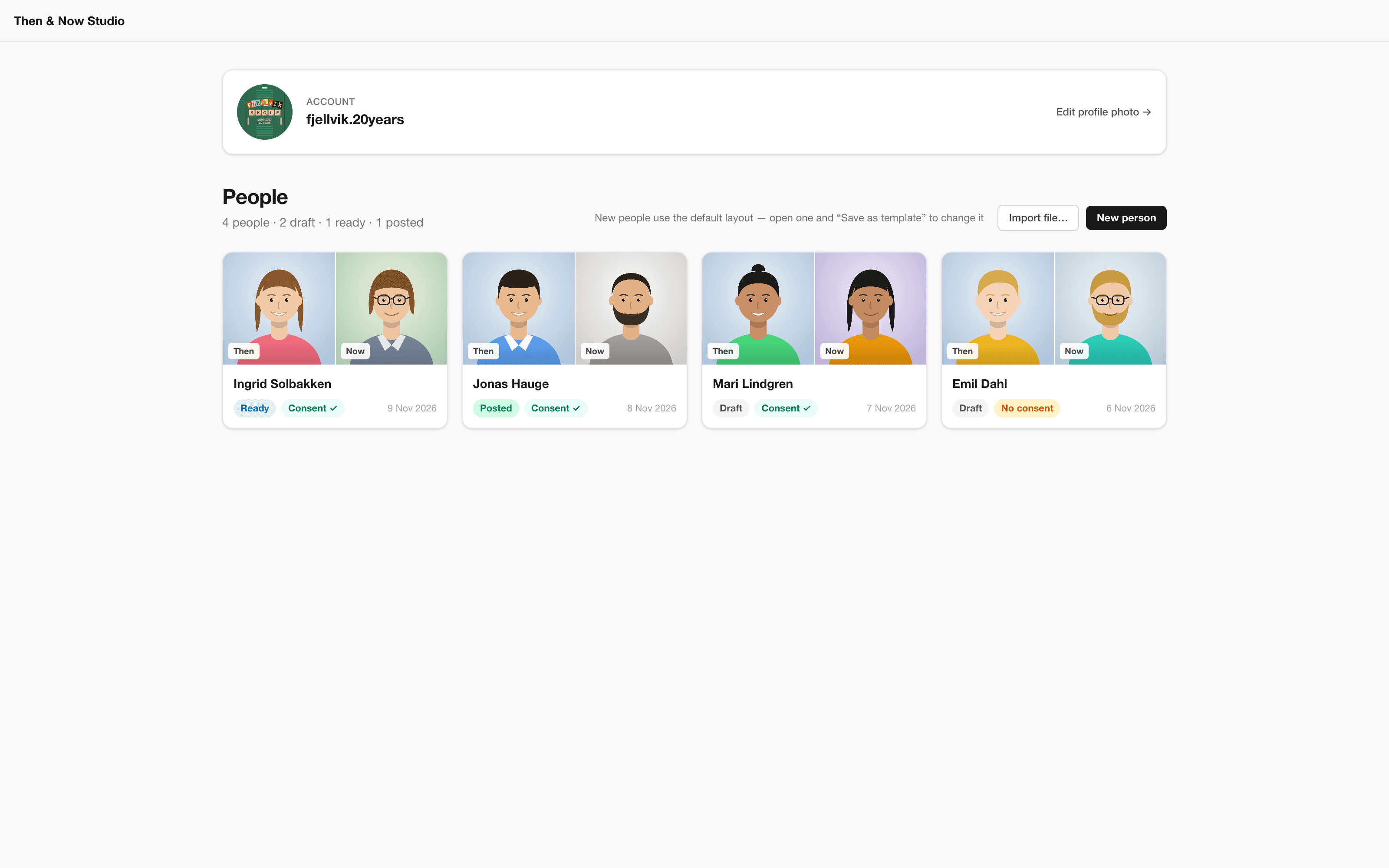
- People. The start screen lists everyone with their then and now photo, a status (draft, ready or posted) and a consent badge. Everything is saved automatically as one file per person.
- Template. Any post can be saved as the template for new people. Photos, name, consent and status are stripped out, so a template never carries someone's pictures.
- Profile photo. The account's profile photo is made in the same editor, with a dashed ring showing how Instagram crops it to a circle. Text can be set as cut-out magazine letters or letter tiles.
Technical choices
- Electron, not Tauri. The export depends on the browser engine turning HTML into an image reliably, with fonts, filters and blend modes intact. Electron ships Chromium, where this works well. Tauri on macOS uses WebKit, where it's flakier.
- React, TypeScript and Tailwind. With Zustand for state and html-to-image for the export.
- Files stay on the machine. Posts are plain JSON files with the images inside, kept out of git, and deleting one moves it to the Trash.
The same editor also runs in a normal browser without Electron, which is how the screenshots here were made.
The result
A working first version: I can add a person, drop in two photos, write the story, check it in the preview and export slides that line up across every seam. Undo and redo are next on the list, followed by saved themes and a preview of the whole profile grid.